Settle: Class Actions
- 4.7
- Rating
- 50.00K
- Installs
- Free
- Price

 Analysis by App-foxy
Settle: Class Actions is a finance app from Nikanomi built around one practical idea: helping people find and claim money connected to class action settlements. I approached it as the kind of tool you might open after hearing about a settlement in the news, receiving an email about a product you bought, or wondering whether an old purchase makes you eligible for compensation.
That narrow purpose is also what makes the app interesting. It is not trying to replace a bank, investment service, budgeting tool, or tax application. Instead, it focuses on a part of personal finance that many people overlook: checking whether they qualify for settlement payments and organizing the steps needed to submit a claim.
My overall impression is that the concept is useful for people who regularly miss these opportunities because they do not know where to look. At the same time, I would not treat it as automatic money. The app can make the search and claim process easier, but eligibility still depends on the rules of each settlement, the information a claimant can provide, and the deadlines attached to individual cases.
You May Also Like

 Blood Strike: 2.5 Anniversary
Blood Strike’s Loadouts Turn Every Drop Into a Tactical Gamble
A close look at Blood Strike’s custom loadouts: how fast access to signature weapons reshapes its battle royale rhythm, rewards preparation, and narrows the gap between fights.

 Pandora - Music & Podcasts
Pandora’s Music Is Easy to Start, but Harder to Recover
Pandora’s strength is its low-effort path from a seed to a station. Its weak spot is how much confidence it asks you to place in connection, setup, and quiet recovery.

 8 Ball Pool
 Is Built on Rivalries, Rematches, and Routine
A close look at the rivalries, rematches, shared routines, and unanswered safety questions that turn a quick pool match into a persistent mobile community.

 Samsung Music
’s Quiet Strength Is Playing What You Already Own
Its reach comes less from spectacle than from dependable access to a personal library. That simplicity is both the app’s strongest retention engine and its ceiling.

 AccuWeather: Weather Radar
AccuWeather Review: A Quick, Clear Forecast for Everyday Decisions
For everyday plans, the best forecast is the one you can understand quickly. AccuWeather makes rain timing, radar, and local conditions easy to act on, with a few trade-offs.

 Hill Climb Racing
Why Hill Climb Racing Still Turns Crashes Into One More Run
A tiny car, a bumpy hill and one more upgrade: Hill Climb Racing keeps resurfacing because its simple chaos makes every near-miss feel personal.
More From Our News Desk
View All News


What Settle: Class Actions actually offers
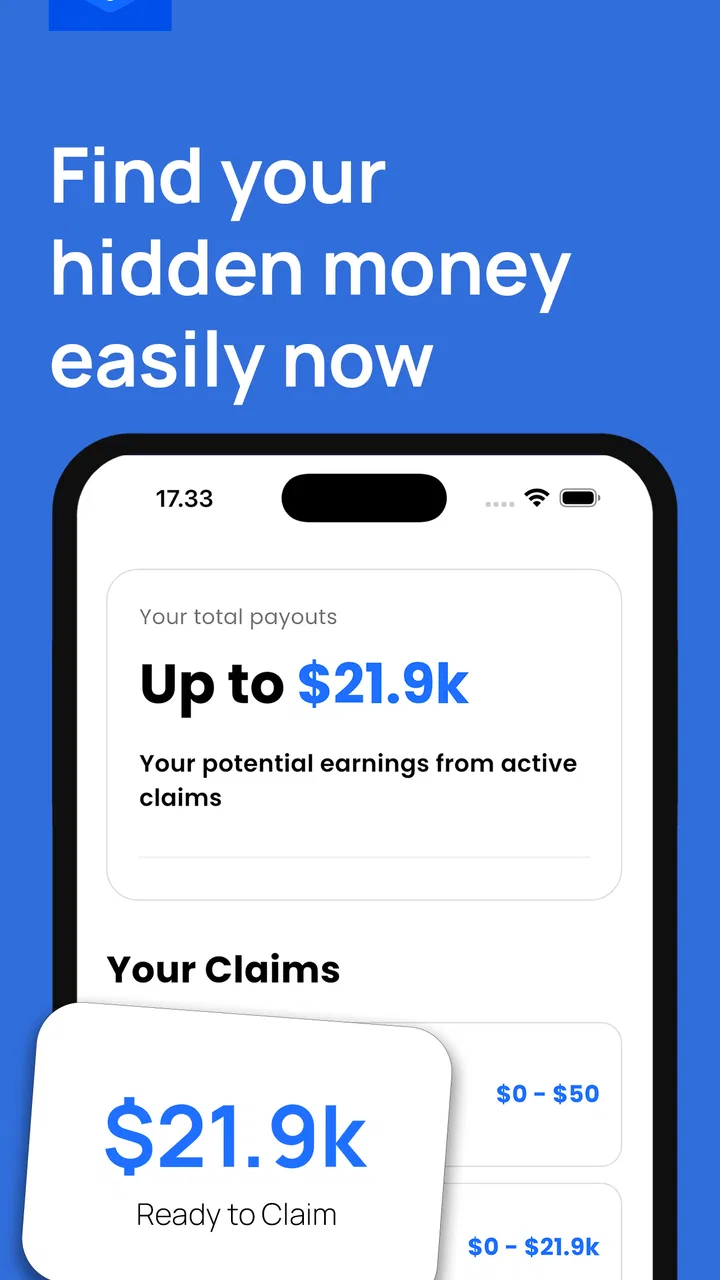
The app sits in the finance category, although its role is closer to a claims-finding assistant than a traditional money-management application. Its store summary presents the central benefit clearly: finding and claiming class action money with less effort. That makes it most relevant to users who want a single place to review possible settlements instead of relying on scattered web searches, social media posts, or occasional emails.
In everyday use, I would think of it as a screening and organization tool. You still need to read the details of a settlement carefully, decide whether the eligibility requirements fit your situation, and provide accurate information. The useful part is having a focused way to discover opportunities and move from “I may qualify” to “I understand what I need to do next.”
The app is free to install, and it is aimed at an Everyone audience. That lowers the barrier for someone who is simply curious and does not want to pay before seeing whether the service is relevant. The Android release requires version 7.0 or later, so it is accessible on many older devices as well as newer phones.
There are in-app purchases ranging from $4.99 to $59.99 per item. That is the most important cost detail to consider before using it beyond the free access. The free installation does not mean every part of the experience is free, and the purchase range is broad enough that I would want to understand exactly what a paid item provides before approving it.
How I would use it after hearing about a settlement
Imagine that I remember buying a product from a company involved in a widely discussed case. Rather than searching the company name, the word “settlement,” and several years of news results, I would open Settle: Class Actions and look for a matching opportunity. If one appears, I would compare the settlement description with my own purchase history and location before doing anything else.
That comparison step matters. A familiar company name does not automatically make someone eligible. Settlements can involve particular products, purchase periods, states, customer groups, or types of alleged harm. My practical advice is to treat every result as a lead to investigate, not as a guaranteed payment.
I would also gather supporting details before starting a claim. Old receipts, order emails, account records, and payment history can make it easier to answer questions accurately. Even when a settlement allows a claim without extensive documentation, entering information from memory can create avoidable mistakes. The app is more useful when it becomes part of a careful record-checking routine rather than a quick tap-through exercise.
Where the value comes from
The strongest value is convenience. Class action notices are easy to miss because they may arrive through legal notices, news coverage, company communications, or websites that a person never visits. A dedicated app gives this activity a more visible place in a phone-based financial routine.
The second benefit is attention. When money is spread across many small opportunities, people often ignore it because each individual claim may not seem worth the research. A focused app can make the process feel manageable. I especially see value for someone who has purchased from many large retailers or services over the years but does not keep up with legal news.
A third, less obvious benefit is reducing the mental cost of deciding where to begin. Searching independently can produce outdated articles, duplicate notices, confusing legal language, and pages that are difficult to compare. A specialized interface may help turn that scattered task into a repeatable habit: check potential claims, verify eligibility, prepare details, and submit only when the conditions make sense.
That workflow is more valuable than the promise of any single settlement. Payments can vary, and eligibility can be limited, but a repeatable process may help users notice opportunities they would otherwise forget. I would set aside a short review session occasionally rather than checking constantly, because the goal is organized awareness, not another source of daily financial noise.
Free access, paid value, and the point where caution matters
The free installation makes it reasonable to explore the app before making a financial commitment. I would use that initial access to understand what is available, how clearly opportunities are explained, and whether the listings match the kinds of purchases and services in my own history.
The paid side requires more judgment. The presence of purchases does not by itself tell me whether paying is worthwhile in a particular case. A paid option could be valuable if it saves substantial time or provides a clearly explained service, but I would not pay simply because a claim sounds promising. A settlement is not the same as a guaranteed return, and a payment may depend on eligibility, claim approval, or the terms of the case.
Before confirming any purchase, I would look for three things inside the purchase screen: what the charge unlocks, whether it applies to one claim or a broader service, and whether the expected benefit is clear enough to justify the cost. If the explanation is vague, I would stay with the free experience or skip the transaction. This is particularly important because the upper end of the purchase range is significant for a tool whose underlying opportunity may produce little or no payment.
In other words, the app can be free to try while still requiring careful attention to paid features. I appreciate that distinction because it lets a user evaluate relevance first. I would not describe the app as a guaranteed free-money service, and I would be skeptical of any expectation that paying automatically improves the outcome of a claim.
Useful habits that make the app more effective
One practical habit is to search your own records before claiming. I would check email receipts, shopping accounts, bank statements, and saved order histories. This can help distinguish a real match from a vague memory. It also reduces the chance of submitting details that are incomplete or inaccurate.
Another useful habit is to separate “possible match” from “ready to claim.” I would keep a short personal note with the company or product involved, the reason I think I may qualify, and any evidence I still need to find. That prevents the common mistake of rushing through several claims without understanding which information belongs to which settlement.
I would also read the requirements all the way through instead of relying on the headline. A settlement may use ordinary language in its title but apply specific conditions in the full explanation. The difference between owning a product, purchasing it during a stated period, and living in an eligible location can determine whether a claim is valid.
Finally, I would keep copies of anything I submit or receive. Screenshots, confirmation messages, and reference details can be useful later if I need to remember what I entered. This is not a feature claim about the app; it is a sensible user-side safeguard when dealing with financial or legal claims.
Tradeoffs compared with the usual alternatives
The obvious alternative is searching the web manually. That approach can be more transparent because I can visit official settlement websites, read the legal notices directly, and compare several sources. It is also more work. Search results may be inconsistent, and it is easy to overlook a deadline or mistake an article about one case for another.
Another alternative is waiting for a mailed notice or email. That can be convenient when a company already has the right contact details, but it is dependent on delivery and on the claimant recognizing the message. A dedicated app is more proactive, especially for people who have moved, changed email addresses, or simply delete legal-looking notices without reading them.
There is also the option of using a general personal finance app. Those tools are better for budgets, spending categories, bills, and account planning. They are not necessarily designed to surface class action opportunities. If my main goal were tracking monthly expenses or building savings, I would choose a budgeting application instead. Settle: Class Actions makes sense only when settlement discovery is the specific problem I want to solve.
Manual research has one advantage that should not be ignored: control. I can go directly to an official administrator’s website and avoid paying for an intermediary service. The app’s convenience has to be weighed against that possibility. For a straightforward claim, a few minutes of direct research may be preferable to paying for assistance. For someone who repeatedly misses notices, the time saved may be more meaningful.
Who is likely to get the most from it
I think the best audience is people who have a long history of online shopping, subscriptions, travel, or consumer services and rarely check whether related settlements exist. It may also suit users who find legal notices intimidating and want a more approachable starting point before reading the official terms.
It can be helpful for busy households as well. One person could use it to identify possible claims, then check shared purchase records with another family member before submitting anything. The important point is to avoid treating household familiarity as proof. The person who actually made the purchase, the account holder, or another defined class member may be the one who needs to submit the claim.
I would be more cautious recommending it to someone who already follows settlement administrators directly and is comfortable handling forms independently. That user may gain little from an additional layer, especially if paid options do not save enough time. I would also tell anyone with strict privacy concerns to review the app’s own explanations and permissions before entering personal details, and to share only what a legitimate claim requires.
People looking for immediate cash should temper their expectations. A claim can take time, may be rejected, or may result in a smaller payment than expected. The app is better understood as a discovery and claim-support tool than as an income source. If the goal is emergency money this week, I would choose a more predictable financial option rather than depending on a settlement.
Performance, maturity, and what the numbers suggest
Settle: Class Actions has a 4.7 average from around 2.1 thousand ratings, with more than a hundred written reviews. It has passed 50 thousand installs, which suggests that the idea has attracted a meaningful audience without making it a mass-market finance platform.
The app was released on November 22, 2025, and its current version is 1.2.2. That relatively early version number shapes my expectations: I would look for a straightforward experience, but I would also allow for ongoing refinement as the developer learns how people use the service. Nikanomi has chosen a focused concept, and future usefulness will depend heavily on how clearly opportunities are presented and how well the app handles the practical details around claims.
Those figures are encouraging, but they should not replace personal evaluation. A high average rating can indicate that many users like the concept or experience, while written reviews are more useful for discovering friction around specific workflows. I would read recent comments before paying for anything, especially because the app includes optional purchases and operates in an area where clarity matters.
My buy-or-skip verdict
I would install Settle: Class Actions if I wanted a convenient way to look for consumer settlement opportunities and was willing to verify every possible claim myself. The free entry point makes that decision relatively easy: explore first, understand the workflow, and decide later whether any paid option has a clear benefit.
I would skip the paid side unless the value is explained in plain language and matches a real problem I have, such as saving substantial research time. I would never pay merely because an opportunity appears potentially lucrative. The cost must make sense independently of the hoped-for payout, because eligibility and final compensation are not guaranteed by the existence of a listing.
For someone who wants a dedicated settlement finder, this app is more focused than a normal budgeting tool and less labor-intensive than starting every search from scratch. For someone who prefers direct official sources, already tracks legal notices carefully, or needs dependable short-term income, the usual alternatives are better.
My recommendation is to try the free experience, verify claims against the full settlement terms, and treat every purchase decision separately. That approach captures the app’s genuine convenience without turning it into something it is not. Settle: Class Actions can be a useful reminder and research companion, but the real value comes from careful checking, accurate records, and knowing when a free direct route is the smarter choice.
In my view, that balanced role is where Settle: Class Actions works best. It gives overlooked financial opportunities a more visible place in everyday life, while still leaving the important judgment with the person making the claim.
FAQs for Settle: Class Actions
01What is Settle: Class Actions, and how does it work?
Settle: Class Actions is an app designed to help users discover and participate in eligible class-action settlements. After creating an account, you can browse available cases, review the settlement details, check whether you meet the eligibility requirements, and follow the instructions for submitting a claim. The app is mainly a convenient information and claim-management tool, not a law firm or a guarantee that every claim will be accepted.
02Can I use Settle: Class Actions if I do not live in the United States?
Eligibility depends on the specific class-action settlement rather than the app alone. Many cases are limited to residents of particular countries, states, or regions, and some require that you purchased or used a product or service during a defined period. Before submitting information, read each settlement’s official eligibility rules carefully. The app may display relevant opportunities, but the settlement administrator makes the final determination.
03Is Settle: Class Actions free to download and use?
The app is generally intended to let users review settlement opportunities and manage potential claims without paying an upfront fee. However, individual settlements can have their own rules, deadlines, documentation requirements, or payment arrangements. You should never assume that every case works in the same way. Review the official settlement notice and the app’s current terms before providing personal information or expecting a payment.
04What personal information does Settle: Class Actions require?
The information requested may vary depending on the settlement, but a claim can require details such as your name, contact information, location, purchase history, account information, or other proof that you belong to the affected class. Only provide information through the official app or authorized settlement process. It is also wise to review the privacy policy, permissions, and data-sharing practices before creating an account or submitting a claim.
05When will I receive money from a claim submitted through the app?
Submitting a claim does not mean that payment will arrive immediately or that it is guaranteed. Claims must first be reviewed, and the case may still be affected by objections, appeals, administrative costs, or the total number of valid claims. If your claim is approved, the settlement administrator determines the payment amount and distribution schedule. Check the specific case page for deadlines, status updates, and payment details.
Pros
- Clear eligibility details help users understand potential settlements.
- Useful claim deadline reminders reduce the chance of missing an opportunity.
- Search tools make it easier to find relevant class actions.
- Settlement information is presented in a generally straightforward format.
- Convenient mobile access lets users review claims away from a computer.
Cons
- Availability of settlements may vary significantly by location.
- Some claims require supporting documents or additional verification.
- Notifications may become less useful if many cases are not relevant.
- Claim outcomes and payment amounts can be uncertain or delayed.
- The app cannot guarantee eligibility or approval for any settlement.

Settle: Class Actions
Gallery